My Homelab
A playground for learning, breaking, and fixing real-world networking concepts.
This is my personal homelab that I use to learn, break things, fix them, and experiment with real-world networking and server concepts. It’s constantly changing as I add new services or rework the setup.
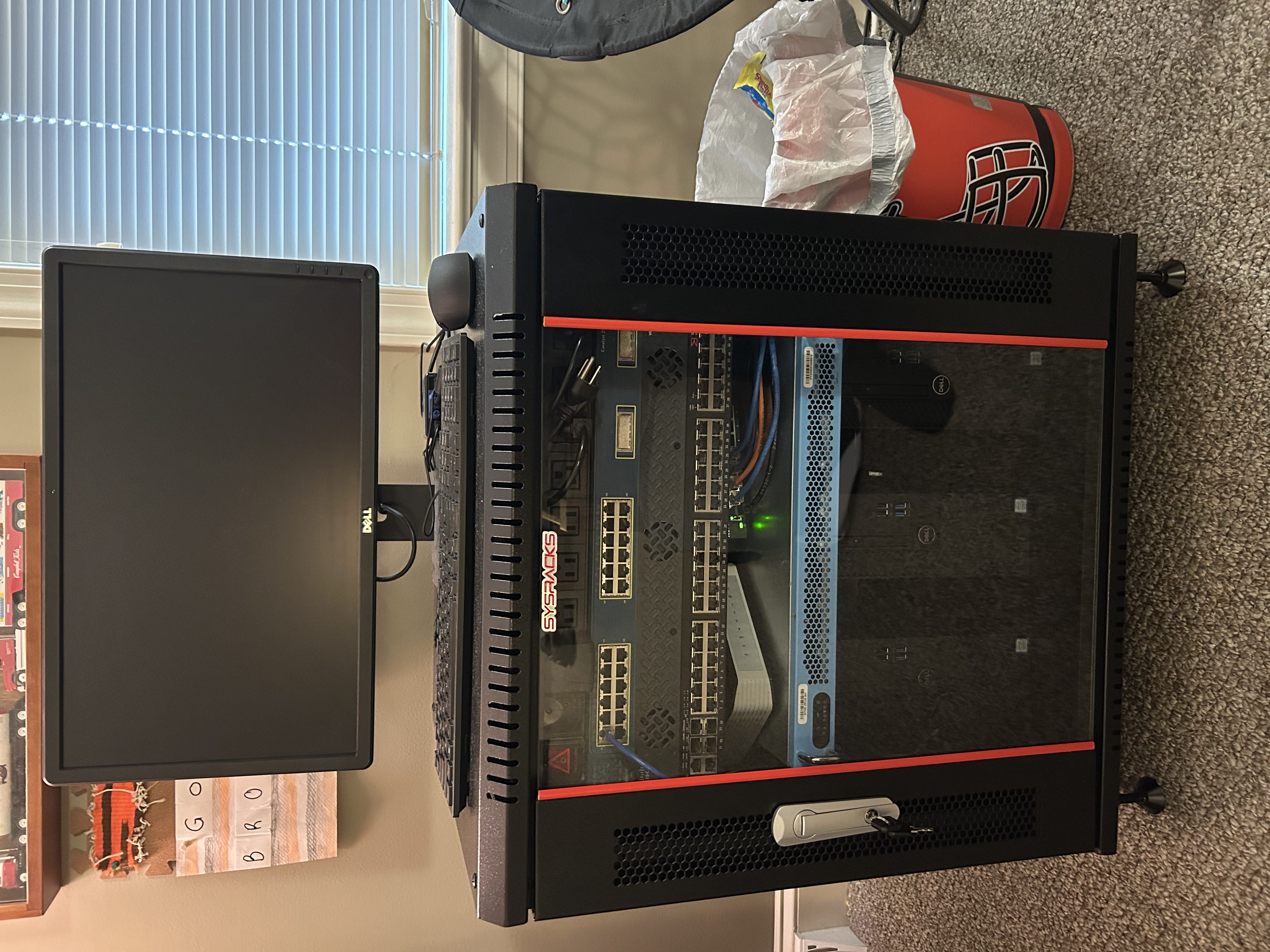
What’s Inside the Rack
Rack
SysRacks 12U 24" Depth Wall-Mount Rack. View Product
Switching
- Cisco Catalyst 2950 Series
- Netgear GS308EP 8-Port Managed PoE+ Switch
Routing
- OPNsense Mini Router (Primary)
- TrendNet SOHO Router (used as a WAP)
Servers
- HYVE Zeus SH
- 2× Dell Optiplex 3060
Storage
- UGREEN DXP4800+
- 3× 4TB HDDs
Not Yet Installed
- Cisco VoIP Phones
- Aruba Access Points
What the Servers Are Running
HYVE Zeus SH
- Runs Proxmox
- Previously used for my Microsoft Exchange final project
- Not powered on 24/7
Dell Optiplex 3060 #1
- Runs Proxmox
- Hosts several VMs including Glance (dashboard), Docker containers (Portainer, N8N), and AdGuard Home.
Dell Optiplex 3060 #2
- Runs Windows Server 2022
- Used for an Active Directory and Group Policy environment. Also hosts subnetsuite.com via Cloudflare Tunnel.
UGREEN NAS
- Runs Jellyfin and additional Docker containers
- Primarily used for backups, media storage, and general file storage.
Network Topology
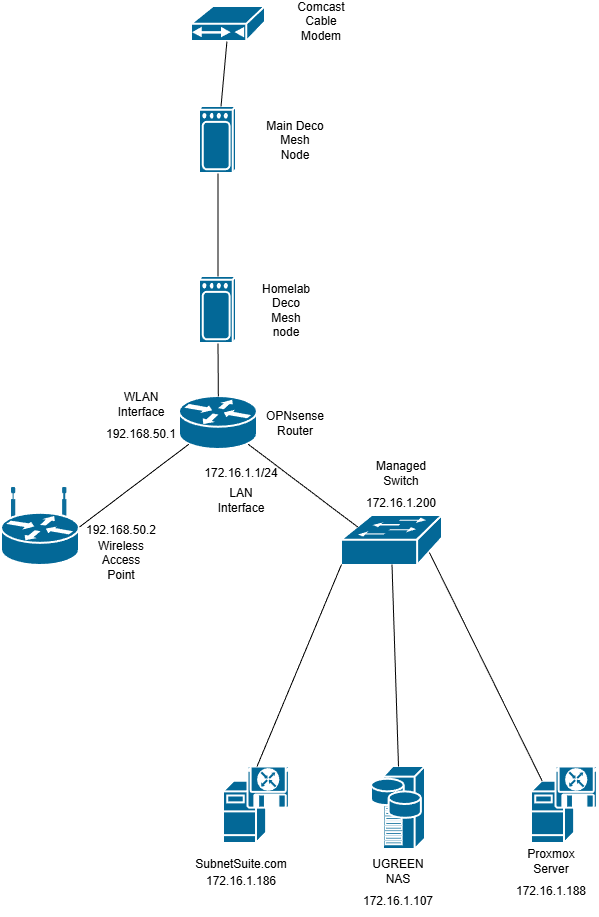
The Comcast modem in our living room feeds into the TP-Link Deco mesh system. One Deco unit sits near the homelab and provides the upstream connection.
From there, a Deco port connects to the WAN interface on my OPNsense router. The LAN side of OPNsense feeds into the managed Netgear switch, which connects my servers and NAS.
The wireless router is connected to the WLAN interface on OPNsense and functions purely as a wireless access point (no DHCP/routing), keeping detailed network control centralized on OPNsense.